ICA Net
Connecting Instructions
5) How to connect to:
ICANet.com.mx
Goto:
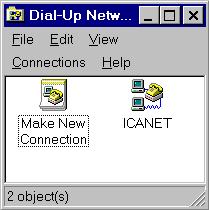
Dial- Up Networking,
double click on the Icon "
ICANet
"
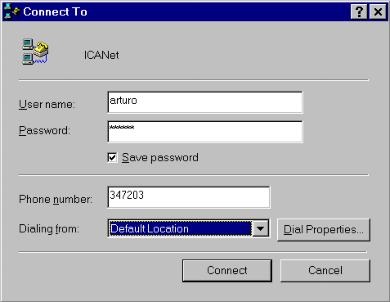
enter:
User name
enter:
Password
check:
Save password
see if "
Phone number
" is right, otherwise correct.
Click on "
Connect
".
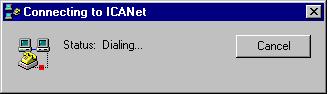
This image will come up.
If you installed the automatic script then this will come up:
(After the message above appears you can start your choice of
browser
or
e-mail
program)
If you selected manual connection, this will come up:
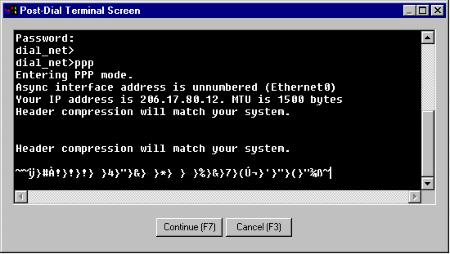
once connected a terminal window comes up.
now enter your :
Username: ........... (return)
Password:............ (return)
Than enter:
PPP (return)
a garbelt text will come up, now click "
CONTINUE
" or (
F7
).
*
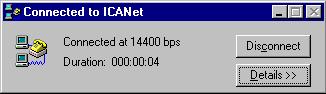
After the message below appears you can start your choice of
browser
or
e-mail
program
happy browsing

 ICA Net Connecting
Instructions
ICA Net Connecting
Instructions
ICA Net Connecting
Instructions
ICA Net Connecting
Instructions