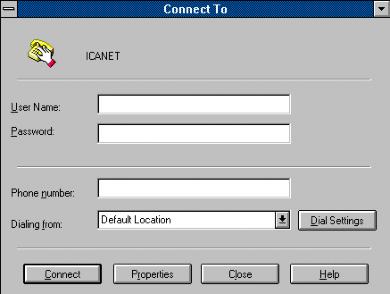
There should be one Icon "ICANet" in
the "Microsoft Internet Explorer" Group, click on "Connect"
No need to enter "Username:" or "Password:"
at this time, enter the phone number from the ICA Net, if you are not in
Tijuana but are in Mexico enter 91,66,347203. else
347203
El mensaje que aparece es el siguiente: que
me indica que la llamada esta en proceso...
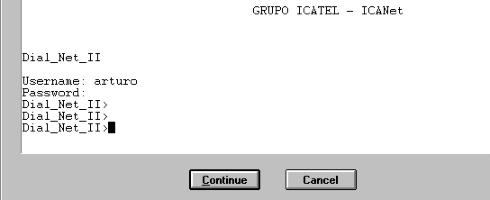
once connected a terminal window comes up.
now enter your :
Username: ........... (return)
Password:............ (return)
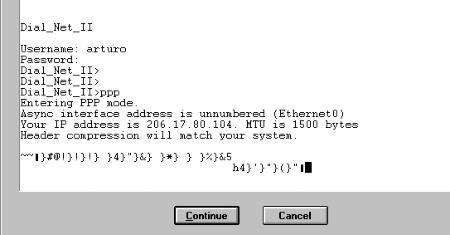
Than enter: PPP (return)
a garbelt text will come up, now click "CONTINUE"
or ( F7 ).
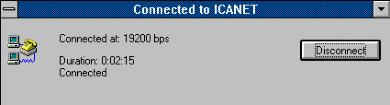
After the message below appears you can start
your choice of browser or e-mail program,

 ICA Net
Installations Instructions
ICA Net
Installations Instructions